

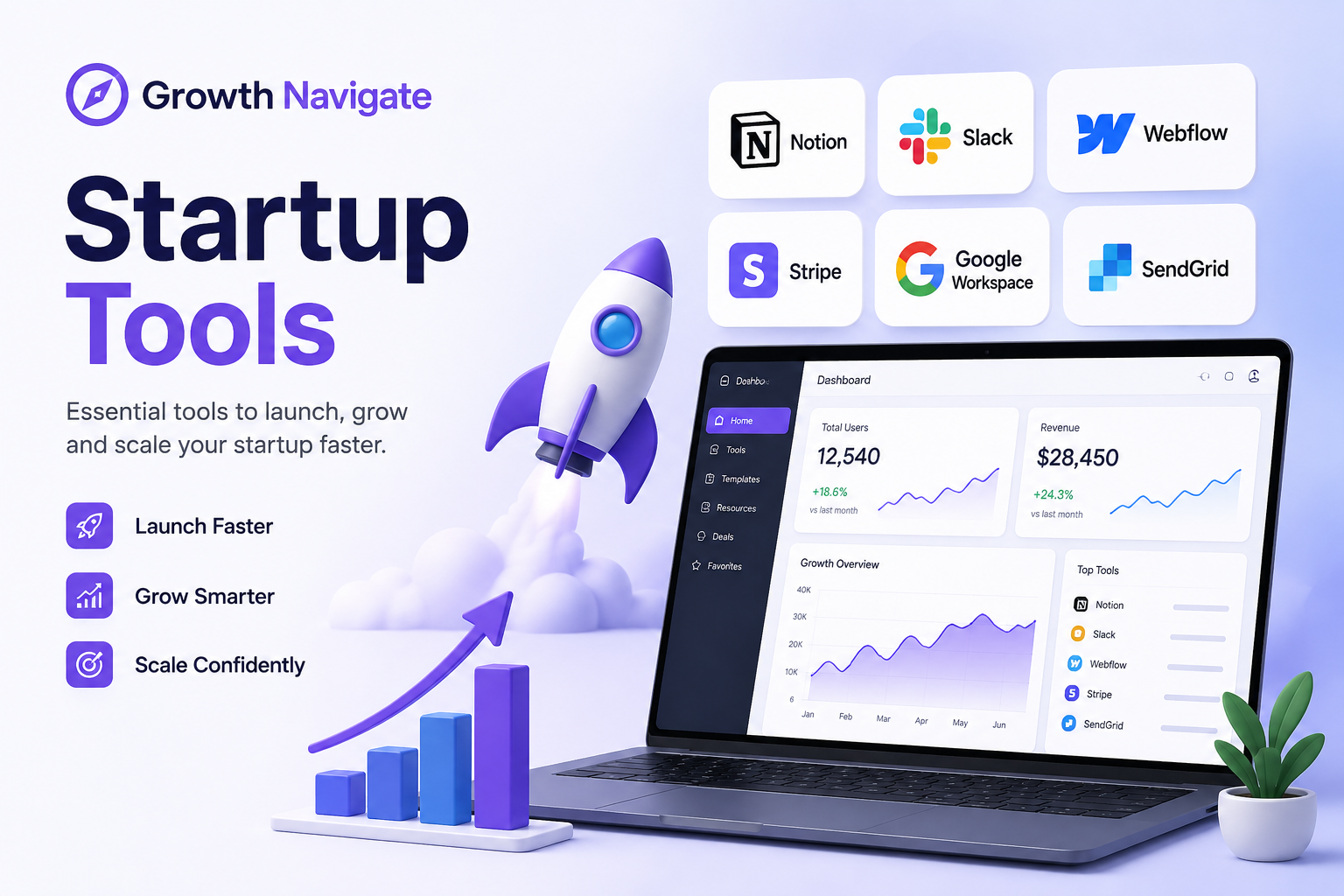
Building a startup in 2026 does not mean simply finding as many software tools as possible. The real challenge is choosing the right tools for the right stage of growth without wasting money, creating unnecessary complexity, or ending up with a stack that nobody on the team actually uses.
That is where Growth Navigate Startup Tools comes in.
Growth Navigate is designed around a simple idea: instead of choosing software because it is popular, founders should evaluate tools based on their startup’s stage, budget, category, workflow, and growth goals. Its startup tools directory currently includes more than 48 curated tools across areas such as analytics, CRM and sales, AI and content, productivity, finance, automation, customer support, fundraising, no-code development, and communication.
But having access to a large tool directory is only part of the equation.
The bigger question is: Which tools does your startup actually need?
In this guide, we explain what Growth Navigate Startup Tools are, how the platform works, which categories matter most, how to build a lean startup stack, and which tools make sense at different stages of growth.
What Are Growth Navigate Startup Tools?
Growth Navigate Startup Tools refers to a curated approach to selecting software that helps startups operate, acquire customers, measure performance, automate repetitive work, and manage growth.
Rather than treating every software product as equally important, Growth Navigate organizes tools around practical startup needs.
The official directory lets users browse tools by category, startup stage, budget, and other filters, making it easier to narrow down options instead of scrolling through an endless list of SaaS products.
For example, the platform currently includes tools such as:
| Startup Need | Example Tools | Best Use |
|---|---|---|
| Payments | Stripe | Accepting payments and subscriptions |
| Banking & Finance | Mercury | Startup banking and financial operations |
| AI & Content | ChatGPT, Claude | Research, writing and strategic work |
| Productivity | Notion, Linear | Documentation, planning and development |
| CRM & Sales | HubSpot, Attio, Pipedrive | Managing leads and sales pipelines |
| Analytics | PostHog, Mixpanel, Google Analytics | Understanding users and traffic |
| Automation | Zapier, Make | Connecting apps and automating workflows |
| Design | Canva | Marketing and visual content |
| Websites | Webflow, Framer | Building marketing websites |
| Customer Support | Crisp, Intercom, Help Scout | Support and customer communication |
The important point is that you do not need every tool in the table.
A startup should select tools based on its current bottlenecks rather than building the largest possible software stack.
Why Your Startup Tool Stack Matters
A startup can have an excellent product and still lose time because its internal systems are poorly organized.
Imagine a small SaaS company where:
- Leads are stored in spreadsheets.
- Customer conversations are scattered across email and chat.
- Product analytics are not configured.
- Marketing tasks are managed manually.
- Invoices are created by hand.
- Developers use one project-management system while marketers use another.
- Nobody knows which metrics actually matter.
None of these problems necessarily require hiring another employee.
Sometimes the bigger problem is simply that the company has not built the right operating system around its product.
A well-designed tool stack can help founders:
- Reduce repetitive work
- Track customers and leads
- Understand user behavior
- Automate marketing
- Improve team collaboration
- Monitor revenue and expenses
- Ship products faster
- Make decisions using real data
However, there is an important warning.
More software does not automatically mean more growth.
Every new subscription adds another dashboard, integration, login, notification stream, and potential source of complexity.
The goal should therefore be to build a lean stack, not a massive stack.
How Growth Navigate Helps Founders Choose Tools
One of the useful aspects of Growth Navigate is that it approaches tool selection around the startup’s situation rather than simply presenting a generic list.
The platform’s tool directory allows founders to filter software based on factors such as category, startup stage, and budget. This makes it easier to find relevant tools without wasting time comparing software that does not match the startup’s current needs.
The right tool can also vary significantly depending on the size and stage of a startup.
A five-person startup and a 200-person company may need completely different software even if they perform the same business function.
For example, an early-stage startup may prefer a simple CRM with a generous free tier, while a larger sales organization may require advanced reporting, permissions, automation, and integrations.
The 9 Core Startup Tool Categories
A strong startup stack normally covers several core business functions. Growth Navigate currently organizes its ecosystem across categories including CRM and sales, analytics, marketing automation, AI and content, productivity, finance, customer support, fundraising, no-code, and communication.
Here is what each category does.
1. Analytics and Product Intelligence
Analytics tools help founders understand what visitors and customers are actually doing.
Instead of asking:
you can investigate:
- Where users are coming from
- Which pages they visit
- Where users abandon the funnel
- Which features they use
- How users behave after signing up
- Whether customers return to the product
Popular options in the Growth Navigate directory include Google Analytics 4, PostHog, Mixpanel, Amplitude, and Plausible.
For an early-stage startup, starting with one analytics platform is usually enough.
2. CRM and Sales
Once people start showing interest in your product, you need somewhere to manage those relationships.
A CRM can help you track:
- Leads
- Prospects
- Conversations
- Deals
- Follow-ups
- Sales stages
- Customer information
Growth Navigate currently lists tools such as HubSpot, Attio, Pipedrive, Freshsales, and Zoho CRM.
For many early-stage B2B startups, a CRM should be one of the first serious additions to the stack.
3. AI and Content
AI has become one of the biggest productivity multipliers for small startup teams.
Instead of hiring for every individual task, founders can use AI to accelerate:
- Research
- Writing
- Brainstorming
- Content creation
- Documentation
- Customer communication
- Data analysis
- Marketing
Growth Navigate includes tools such as ChatGPT, Claude, Jasper, Copy.ai, and Canva in its AI and content ecosystem.
The best approach is not to subscribe to every AI tool.
Start with one capable general-purpose assistant and add specialized tools only when they solve a specific recurring problem.
4. Marketing Automation
Manual marketing becomes difficult as your customer base grows.
Automation tools can handle repetitive processes such as:
- Email sequences
- Lead nurturing
- Notifications
- Customer onboarding
- Data synchronization
- Internal alerts
- Marketing workflows
Growth Navigate currently lists Zapier, Make, Customer.io, Brevo, Mailchimp, and ConvertKit, among others.
For technical founders, Make may provide more flexible workflow logic. For non-technical founders, Zapier can be easier to get started with.
5. Productivity and Project Management
A startup needs a central place for its work.
This might include:
- Product roadmaps
- Tasks
- Documentation
- Meeting notes
- Engineering issues
- Internal knowledge
- Team responsibilities
Tools listed by Growth Navigate include Notion, Linear, ClickUp, Asana, and Trello.
The mistake is using five different project-management systems.
Pick one primary system and make sure the team actually uses it.
6. Finance, Payments and Runway
Revenue is important, but knowing how much money the company is spending is equally important.
Finance tools can help founders manage:
- Payments
- Subscriptions
- Accounting
- Cash flow
- Burn rate
- Runway
- Financial reporting
The Growth Navigate directory includes options such as Stripe, Mercury, Xero, QuickBooks, and Baremetrics.
For SaaS companies, payment and subscription data become particularly important because recurring revenue requires consistent monitoring.
7. Customer Support
Getting customers is only half the job.
Keeping them happy is what turns acquisition into sustainable growth.
Customer-support software can provide:
- Shared inboxes
- Live chat
- Ticket management
- Customer conversations
- Automated responses
- Support history
Growth Navigate lists tools including Crisp, Intercom, Help Scout, and Zendesk.
A small startup does not necessarily need enterprise support software from day one.
Start simple and upgrade when support volume justifies it.
8. No-Code Development
Not every startup needs to build everything from scratch.
No-code platforms can help founders create:
- MVPs
- Landing pages
- Internal tools
- Customer portals
- Databases
- Websites
Growth Navigate includes Bubble, Webflow, Framer, Airtable, and Softr among its no-code options.
This can be especially useful when the goal is to validate an idea before investing heavily in engineering.
9. Fundraising
Fundraising introduces its own set of operational requirements.
Founders may need tools for:
- Pitch-deck sharing
- Investor updates
- Cap tables
- Equity management
- Fundraising workflows
Growth Navigate currently lists tools such as DocSend, Carta, Visible, and SeedLegals.
Not every startup needs these tools immediately. They become more relevant once fundraising becomes an active business process.
Best Startup Tools by Growth Stage
One of the biggest mistakes founders make is buying software before they need it.
Your tool stack should evolve with the company.
Stage 1: Idea to MVP
At this stage, your biggest priority is validation.
You probably need:
| Need | Recommended Type |
|---|---|
| Documentation | Notion |
| Website | Webflow or Framer |
| Analytics | Google Analytics or PostHog |
| AI | ChatGPT or Claude |
| Payments | Stripe |
| Tasks | Linear, Trello or Notion |
The goal is to build and validate, not create a perfect corporate infrastructure.
Stage 2: Early Revenue
Once customers start arriving, sales and retention become more important.
Consider adding:
- CRM
- Email marketing
- Customer support
- Product analytics
- Marketing automation
- Better financial tracking
At this stage, your stack might look like:
HubSpot + PostHog + Stripe + Notion + Slack + Zapier
You do not have to use this exact combination. The important thing is that each tool has a clear job.
Stage 3: Growth
Once the startup has repeatable acquisition and revenue, efficiency becomes increasingly important.
You may need:
- Advanced product analytics
- Lifecycle automation
- Dedicated customer support
- Financial forecasting
- More advanced CRM workflows
- Team-wide project management
- Investor reporting
At this stage, replacing simple tools with more powerful platforms can make sense because the cost of manual work is now much higher.
Growth Navigate’s Tool Value Approach
One particularly interesting feature on the official Growth Navigate site is its 4D Tool Value Calculator.
Rather than simply asking whether a tool is popular, the calculator estimates whether a tool is worth adding based on inputs such as workflow time, hourly value, tool cost, and expected time savings. It then produces a Tool Value Score and an estimated monthly value.
The model considers four dimensions:
| Dimension | What It Measures |
|---|---|
| Money | Whether the tool saves more money than it costs |
| Time | Recurring hours saved |
| Delivery | Potential impact on speed and execution |
| Quality | Reduction in errors and rework |
The platform itself makes clear that these results are estimates rather than exact financial predictions.
That is an important distinction.
A calculator should help you think about a purchase more carefully, not pretend that software ROI can be predicted perfectly.
How to Build a Lean Startup Tool Stack
Instead of signing up for ten tools on your first day, use a simple process.
Step 1: Identify the Bottleneck
Ask:
What is currently slowing the company down?
Maybe it is:
- Lead management
- Content production
- Customer support
- Analytics
- Manual reporting
- Team communication
- Payment collection
Solve the biggest bottleneck first.
Step 2: Assign One Tool to One Job
Avoid buying multiple products that perform essentially the same function.
For example, you probably do not need:
- Three CRMs
- Four project-management platforms
- Two email platforms
- Five AI writing tools
Start with one.
Step 3: Use Free Plans Where Possible
Many startup tools offer free tiers or free trials.
Growth Navigate’s directory specifically includes a free-plan filter, which can help founders find options that do not require an immediate subscription.
Use free plans to validate whether your team actually needs the product.
Step 4: Measure the Result
After implementing a tool, ask:
- Did it save time?
- Did it increase revenue?
- Did it reduce errors?
- Did it improve customer experience?
- Did people actually use it?
If the answer is consistently no, remove it.
Step 5: Review Your Stack Regularly
Your startup changes.
The tools that made sense when you had five users may not make sense when you have 5,000.
Review your stack every few months and remove unnecessary subscriptions.
Free vs Paid Startup Tools
Free tools are excellent for early-stage startups, but free does not always mean better.
Free tools are best when:
- You are validating an idea
- Your team is small
- Usage is low
- You are still testing workflows
- You need basic functionality
Paid tools become worthwhile when:
- Manual work is consuming significant time
- You have paying customers
- Your team needs advanced features
- Automation can save meaningful hours
- Better reporting directly improves decisions
The right question is not:
“Can I avoid paying?”
It is:
“Does paying for this tool create more value than it costs?”
That is also the basic thinking behind Growth Navigate’s tool-value approach.
5 Common Startup Tool Mistakes
1. Buying Too Many Tools
More tools create more complexity.
Start with the smallest stack that can run your business.
2. Choosing Tools Because They Are Popular
A tool can be excellent and still be wrong for your startup.
Your requirements matter more than popularity.
3. Ignoring Integrations
Your tools should communicate with each other whenever possible.
A CRM that cannot connect to your lead-generation workflow may create more manual work than it eliminates.
4. Paying for Enterprise Features Too Early
Do not pay for features your team will not use for another year.
Start small and upgrade when the need becomes real.
5. Never Removing Software
Founders often add tools but rarely remove them.
That creates SaaS clutter.
Every few months, review your subscriptions and ask:
“If we cancelled this today, what would actually break?”
If the answer is “nothing,” it may be time to remove it.
A Simple Startup Stack for 2026
For a lean startup, you can build a surprisingly capable operation with a relatively small number of tools.
| Business Function | Example Tool | Why Use It |
|---|---|---|
| AI Assistant | ChatGPT / Claude | Research, writing and analysis |
| Workspace | Notion | Docs and knowledge |
| Analytics | PostHog / Google Analytics | Understand users and traffic |
| CRM | HubSpot | Manage leads and sales |
| Payments | Stripe | Payments and subscriptions |
| Communication | Slack | Team communication |
| Automation | Zapier / Make | Connect workflows |
| Website | Webflow / Framer | Marketing website |
| Design | Canva | Visual content |
| Project Management | Linear / ClickUp | Tasks and projects |
This is not a universal “best” stack.
It is simply an example of how a founder can cover the major startup functions without subscribing to dozens of platforms.
Are Growth Navigate Startup Tools Worth Using?
For founders who are overwhelmed by the number of SaaS products available, Growth Navigate can be useful as a tool-discovery and decision framework.
Its biggest advantage is not that it has discovered software that nobody else knows about.
The value is in organizing tools around practical startup requirements such as stage, category, budget, and growth objectives. Its official platform also provides a tool-value calculator designed to help founders estimate whether adding a tool makes financial and operational sense.
However, founders should still do their own research before paying for any product.
Check:
- Current pricing
- Free-plan limitations
- Integrations
- Security requirements
- Data policies
- Team size
- Scalability
- Vendor reputation
A directory can help you discover a tool. It cannot decide whether that tool is right for your specific company.
Frequently Asked Questions
What are Growth Navigate Startup Tools?
Growth Navigate Startup Tools is a curated ecosystem for discovering startup software based on factors such as startup stage, budget, category, and business needs. The official directory currently lists more than 48 tools.
Is Growth Navigate a single software tool?
No. Growth Navigate is better understood as a startup tool-discovery and decision platform rather than one piece of software that performs a single business function.
What tools does Growth Navigate include?
Its directory includes tools for analytics, CRM and sales, AI and content, productivity, finance, automation, customer support, fundraising, no-code development, communication, and other startup functions.
Is Growth Navigate free?
The Growth Navigate website provides access to its tool directory and also offers a free 4D Tool Value Calculator. The calculator can be used without an account or email according to the platform’s own description.
How many tools does Growth Navigate list?
The official startup-tools directory currently states that it contains 48+ curated startup tools.
What is the best startup tool?
There is no single best startup tool for every company. The right choice depends on your startup’s stage, budget, workflow, team size, and current bottleneck.
How many tools should a startup use?
Most early-stage startups should aim for a small, focused stack rather than dozens of subscriptions. Start with the tools required for core functions and add software only when a clear business problem justifies it.
The Bottom Line
The biggest startup-tool mistake is thinking growth comes from collecting more software.
It doesn’t.
Growth comes from having the right systems for the problems your company actually has.
Growth Navigate Startup Tools provides a useful way to explore those options by organizing software around startup categories, stages, budgets, and practical use cases. Its 4D Tool Value Calculator adds another layer by encouraging founders to consider time, money, delivery, and quality before adding another subscription.
For an early-stage founder, the best approach is simple:
Start lean. Solve one bottleneck at a time. Measure the result. Automate what repeatedly consumes your time. And remove tools that stop creating value.
Your startup does not need the biggest tech stack.
It needs a stack that helps you build faster, understand customers better, and grow without unnecessary complexity.
