

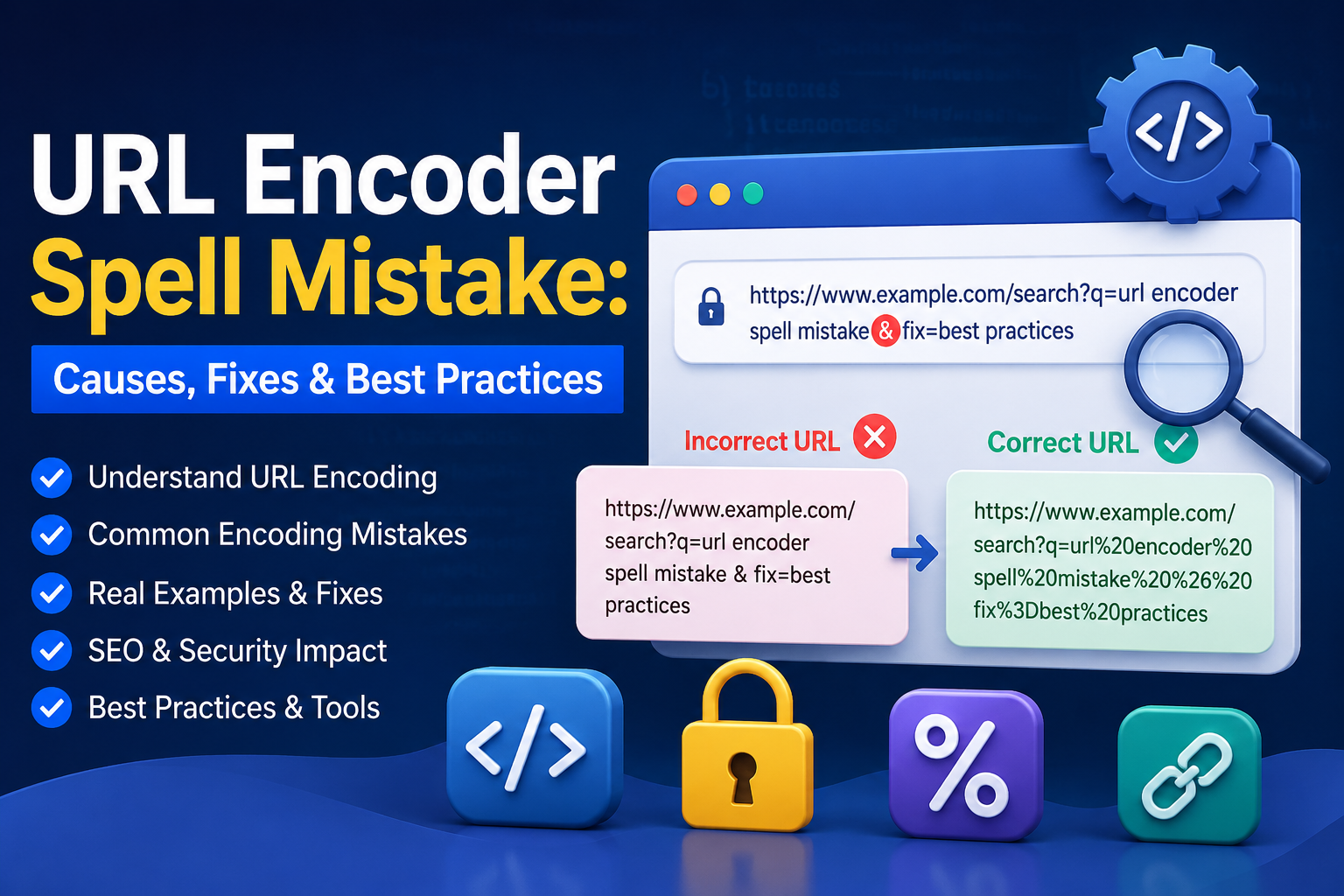
A single wrong character in a URL can break a link, fail an API call, or open a security hole. This is often called a “URL encoder spell mistake” — an error in how special characters are converted, or “spelled,” into their encoded form. This guide covers exactly how URL encoding works, the most common mistakes developers make, why they happen, and how to fix and prevent them for good.
Table of Contents
This article covers everything from the basics of URL encoding to advanced debugging techniques, security risks, and tooling recommendations.
What Is a URL Encoder Spell Mistake?
A URL encoder spell mistake happens when a character in a URL is encoded incorrectly, encoded twice, left unencoded when it shouldn’t be, or encoded when it didn’t need to be. The result is a URL that looks almost right but doesn’t actually work — a broken link, a failed form submission, or a corrupted query parameter.
These mistakes are easy to make because URL encoding rules aren’t always intuitive. A space becomes %20 (or sometimes +), an ampersand becomes %26, and an entire URL should never be encoded as a single block. Get any of these details wrong, and the “spelling” of the URL is off just enough to cause real problems.
How URL Encoding Works
URL encoding (also called percent-encoding) converts characters that aren’t allowed in a URL into a format the web can safely transmit. Browsers, servers, and APIs all expect URLs to follow a strict set of rules defined by RFC 3986, and encoding is how special characters, spaces, and non-ASCII text fit into those rules.
Reserved vs. Unreserved Characters
Every character in a URL falls into one of two categories:
- Unreserved characters — letters (A–Z, a–z), digits (0–9), and a handful of symbols like
-,_,., and~. These never need encoding. - Reserved characters — symbols like
/,?,#,&,=,:, and@that have special meaning in a URL’s structure. These only need encoding when they’re used as literal data rather than as structural separators.
Encoding a reserved character that’s meant to function as a separator (like the ? that starts a query string) will break the URL. Not encoding a reserved character that’s meant to be literal data will also break it. This is the root of most encoding mistakes.
Percent-Encoding Explained
Percent-encoding replaces an unsafe character with a % followed by its two-digit hexadecimal value. For example:
- A space becomes
%20 - An ampersand (
&) becomes%26 - A forward slash (
/) becomes%2F
The percent sign itself is reserved too, so a literal % in your data must be encoded as %25 — forgetting this step is one of the most common sources of double-encoding bugs.
UTF-8 and Character Conversion
Non-ASCII characters — accented letters, emoji, or characters from non-Latin scripts — must first be converted into their UTF-8 byte sequence, and then each byte is percent-encoded. A character like “é” becomes %C3%A9 because it takes two bytes in UTF-8. Using the wrong character encoding before percent-encoding produces garbled, broken URLs, especially for international content.
Why Browsers Automatically Encode Characters
Modern browsers auto-encode obviously invalid characters (like raw spaces) typed directly into the address bar, which is why many developers never notice encoding issues until they build a form, API call, or dynamically generated link. This built-in “safety net” hides mistakes during casual browsing but doesn’t help when a script, backend, or API call sends a badly encoded URL directly.
URL Encoding vs. URL Decoding
Encoding and decoding are two directions of the same transformation:
- Encoding converts human-readable text (like
search term) into a URL-safe format (search%20term) - Decoding reverses that process, converting
search%20termback intosearch term
Every layer that touches a URL — the browser, the server, application code — needs to encode and decode consistently. A mismatch between these layers, such as decoding a URL twice or encoding it more times than necessary, is where most real-world bugs originate.
Characters That Must Be URL Encoded
The characters that most commonly require encoding include:
- Space →
%20 &→%26#→%23%→%25?→%3F(when used as data, not a separator)/→%2F(when used as data, not a path separator)+→%2B=→%3D(when used as data, not a key-value separator)- Quotation marks, brackets, and non-ASCII characters
If any of these appear as literal values inside a query parameter, filename, or path segment, they need encoding to avoid breaking the URL’s structure.
The Most Common URL Encoding Mistakes
Most encoding errors fall into a short list of repeat offenders.
Double Encoding
Double encoding happens when an already-encoded string gets encoded again. %20 becomes %2520 because the % in %20 gets re-encoded as %25. This usually happens when a URL passes through multiple layers of code, and more than one layer applies encoding without checking if it’s already been done.
Forgetting to Encode Query Parameters
Developers often build query strings by directly concatenating user input: ?q= + userInput. If userInput contains a space, ampersand, or other reserved character, the resulting URL breaks or gets misinterpreted. Every dynamic value going into a query string needs individual encoding before it’s inserted.
Encoding an Entire URL
Encoding the whole URL as one string — including the protocol, domain, and path separators — turns https://example.com/page into a mangled mess like https%3A%2F%2Fexample.com%2Fpage. Only the dynamic parts (query values, path segments containing user data) should be encoded, never the structural characters that make the URL work.
Mixing + and %20
Both + and %20 can represent a space, but they aren’t interchangeable everywhere. + is a legacy convention specific to application/x-www-form-urlencoded data (like traditional HTML form submissions), while %20 is the standard encoding used everywhere else, including URL paths. Using + where %20 is expected can insert a literal plus sign into your data instead of a space.
Incorrect UTF-8 Encoding
Encoding text using the wrong source character set before percent-encoding it produces corrupted output. This is especially common when handling international names, addresses, or search terms, and it often shows up as unreadable symbols after decoding.
Encoding Reserved Characters Unnecessarily
Over-encoding structural characters — like turning every / in a path into %2F — can break routing on servers that expect literal slashes to separate path segments. Not every reserved character needs encoding in every context; the correct behavior depends on where in the URL the character appears.
What Causes URL Encoder Errors?
Most URL encoder errors trace back to a handful of root causes:
- Manually building URLs with string concatenation instead of using a proper encoding library
- Encoding data at the wrong layer (client and server both encoding the same value)
- Copy-pasting URLs between systems that handle encoding differently
- Legacy code that predates UTF-8 standardization
- Inconsistent encoding functions across different parts of a codebase (or across microservices)
- Human error when manually typing or editing links
How URL Encoding Errors Affect Websites
A single bad encode can ripple across a website in several visible ways.
Broken Links
The most obvious symptom: a link that should lead to a valid page instead returns a 404 or lands somewhere unexpected because a reserved character disrupted the URL’s structure.
HTTP Errors
Malformed URLs can trigger 400 Bad Request errors, since many servers reject requests with invalid or inconsistently encoded characters before even attempting to process them.
Failed Forms
Form submissions that build URLs from user input can silently drop or corrupt data when special characters aren’t encoded properly, leading to incomplete or incorrect form results.
Redirect Problems
Redirect chains that pass a destination URL as a query parameter can break entirely if that destination URL isn’t encoded — the receiving server may misread where the parameter ends.
API Failures
APIs are especially sensitive to encoding mistakes since they often parse query strings strictly. A missing or duplicated encode can cause a request to fail validation, return unexpected data, or throw a server error.
Download Errors
File download links that include special characters in filenames (spaces, accented letters, symbols) can fail to trigger a download, or download a corrupted or incorrectly named file, if the filename portion isn’t encoded correctly.
SEO Problems Caused by URL Encoding Mistakes
Search engines treat inconsistently encoded URLs as distinct pages, even when the content is identical. This can lead to duplicate content issues, diluted ranking signals, and wasted crawl budget on functionally identical URL variants. Broken links caused by encoding errors also create crawl errors, which can hurt a site’s overall crawlability and indexing. Clean, consistent, correctly encoded URLs are a foundational — if often overlooked — technical SEO factor.
Security Risks of Incorrect URL Encoding
Encoding mistakes aren’t just a functionality problem — they’re a security one too.
Injection Attacks
Improperly encoded input passed into a URL or database query can allow attackers to inject malicious commands, especially when developers rely on encoding as a substitute for proper input validation.
Cross-Site Scripting (XSS)
If user-supplied data is reflected back into a page without correct encoding, attackers can inject scripts through crafted URLs, potentially executing malicious code in another user’s browser.
Path Traversal
Encoded sequences like %2e%2e%2f (an encoded ../) can be used to bypass naive filters and access files or directories outside the intended scope if a server doesn’t properly decode and validate paths before using them.
Input Validation Issues
Relying purely on encoding without validating the underlying data leaves an application exposed. Encoding controls how data is transmitted; it doesn’t verify that the data itself is safe or expected.
Encoding vs. Sanitization
Encoding and sanitization solve different problems. Encoding preserves data integrity during transmission. Sanitization removes or neutralizes potentially dangerous content. A secure application needs both — encoding alone is not a substitute for validating and sanitizing user input.
Real Examples of URL Encoding Mistakes and Their Fixes
Spaces Breaking Search URLs
Problem: A search URL like example.com/search?q=blue shoes breaks because the raw space splits the query string unpredictably. Fix: Encode the value before building the URL: example.com/search?q=blue%20shoes.
Ampersands Splitting Parameters
Problem: A query value containing & — like a company name “Smith & Co” — gets misread as the start of a new parameter. Fix: Encode the ampersand within the value: name=Smith%20%26%20Co.
International Characters
Problem: A URL containing “café” breaks or displays as garbled text after being passed between systems with inconsistent character encoding. Fix: Convert to UTF-8 bytes first, then percent-encode: caf%C3%A9.
Double-Encoded Redirects
Problem: A redirect URL passed as a parameter gets encoded once by the client and again by the server, turning %2F into %252F and breaking the destination. Fix: Encode the value exactly once, at the point where it’s inserted into the URL — never re-encode a value that may already be encoded.
Encoded Slashes
Problem: A path segment containing an encoded slash (%2F) gets rejected or mishandled by a server that treats it as a literal path separator. Fix: Confirm the server or framework explicitly supports encoded slashes in paths, or restructure the URL to avoid needing them.
URL Encoding in Different Programming Languages
Most languages provide a built-in function to handle percent-encoding correctly:
- JavaScript:
encodeURIComponent()for individual values,encodeURI()for full URLs - Python:
urllib.parse.quote()andquote_plus() - PHP:
urlencode()andrawurlencode() - Java:
URLEncoder.encode() - Go:
net/urlpackage’sQueryEscape() - Ruby:
URI.encode_www_form_component
Using these built-in functions instead of manual string replacement avoids the vast majority of encoding mistakes, since they’re built to follow the relevant RFC standards precisely.
URL Encoding in APIs
APIs typically require strict, consistent encoding of query parameters and path segments. REST APIs commonly expect UTF-8 percent-encoding for all dynamic values, while some APIs have their own conventions for encoding array parameters, nested objects, or special characters within tokens. Always check an API’s documentation for encoding requirements rather than assuming standard behavior — some APIs are stricter or more lenient than the RFC default.
Frontend vs. Backend URL Encoding Responsibilities
A common source of double encoding is unclear ownership: both the frontend and backend try to encode the same value. A cleaner approach is to establish a clear contract:
- The frontend encodes user input at the point it’s inserted into a URL (e.g., building a query string from a search box).
- The backend decodes incoming values once upon receipt and re-encodes only when constructing new URLs (like redirects) to send back.
Documenting this responsibility clearly across a team or codebase prevents the double- and mismatched-encoding bugs that are otherwise easy to introduce.
How to Detect URL Encoding Problems
- Use browser developer tools to inspect the exact request URL being sent
- Decode a suspicious URL manually and check if it makes sense — a URL that still contains
%25sequences after one decode may be double-encoded - Test URLs containing spaces, ampersands, and international characters specifically, since these are the most common failure points
- Monitor server logs for 400 errors or malformed request patterns
- Use automated crawling tools to catch broken or duplicate URLs caused by inconsistent encoding
Step-by-Step Process to Fix URL Encoding Errors
- Identify the broken URL and isolate exactly which character or segment is causing the failure.
- Decode it fully to see the original, unencoded intent of the URL.
- Determine the correct encoding layer — where should this value be encoded, and is it being encoded elsewhere already?
- Re-encode using a standard library function, not manual string replacement.
- Test the corrected URL across the browser, server, and any API or redirect logic involved.
- Check for regressions in related URLs that might share the same encoding logic.
Best Practices to Prevent URL Encoder Spell Mistakes
- Always use built-in encoding functions instead of manual character replacement
- Encode each dynamic value individually before inserting it into a URL — never encode a complete, already-structured URL
- Establish clear frontend/backend encoding ownership to avoid double encoding
- Standardize on UTF-8 across your entire stack
- Write automated tests covering URLs with spaces, special characters, and non-ASCII text
- Avoid relying on encoding alone for security — pair it with proper input validation and sanitization
- Review third-party integrations and redirects for consistent encoding behavior
Recommended URL Encoding Tools
- Browser developer tools — inspect exact outgoing request URLs
- Online URL encoder/decoder tools — quickly test how a string should be encoded
- Postman — inspect and debug API requests with full control over encoding
- Linting and static analysis tools — catch manual string concatenation used to build URLs
- RFC 3986 reference — the definitive specification for correct URL structure and encoding rules
URL Encoding Best Practices for Modern Web Applications
Modern frameworks (like most current JavaScript, Python, and Go web frameworks) handle a large share of encoding automatically when using their built-in routing and query-string utilities. The best practice is to lean on these framework-provided tools rather than writing custom encoding logic, keep encoding logic centralized in one place per layer of the stack, and treat any manual % character manipulation in code as a warning sign worth a second look during code review.
Frequently Asked Questions
What is a URL encoder spell mistake? It’s an error in how a URL’s special characters are converted into their encoded form — whether through double encoding, missing encoding, or encoding characters that should have been left alone.
Why do spaces become %20? Because a raw space is not a valid character within a URL, browsers and servers require it to be represented as its percent-encoded hexadecimal value, %20.
What causes double URL encoding? It happens when more than one layer of a system (such as both the frontend and backend) encodes the same value independently, turning an already-encoded character like %20 into %2520.
Should I encode the entire URL? No. Only the dynamic data — query values or path segments containing user input — should be encoded. Encoding the full URL, including the protocol and structural slashes, will break it.
Is + the same as %20? Not always. + represents a space specifically within application/x-www-form-urlencoded data, while %20 is the general-purpose encoding for a space everywhere else in a URL.
Can URL encoding affect SEO? Yes. Inconsistently encoded URLs can be treated as separate, duplicate pages by search engines, diluting ranking signals and wasting crawl budget.
How do I know if my URL is encoded correctly? Decode it and confirm it matches the intended, readable value with no leftover % sequences. Testing with special characters and non-ASCII text is the most reliable way to catch encoding bugs early.
Which encoding standard should I use? Percent-encoding based on UTF-8 byte sequences, as defined in RFC 3986, is the current web standard and should be used across virtually all modern applications.
Conclusion
A URL encoder spell mistake is rarely a big, dramatic bug — it’s usually one wrong character, one extra encoding pass, or one skipped step that quietly breaks links, forms, redirects, or API calls. Understanding how percent-encoding actually works, knowing which characters need it, and relying on standard library functions instead of manual string manipulation will prevent the vast majority of these errors. When something does break, decoding the URL, tracing exactly where the encoding happened, and fixing it at the correct layer will resolve almost any encoding issue quickly and permanently.
