

Reviewed by RicGuides Editorial Team
Updated August 2026
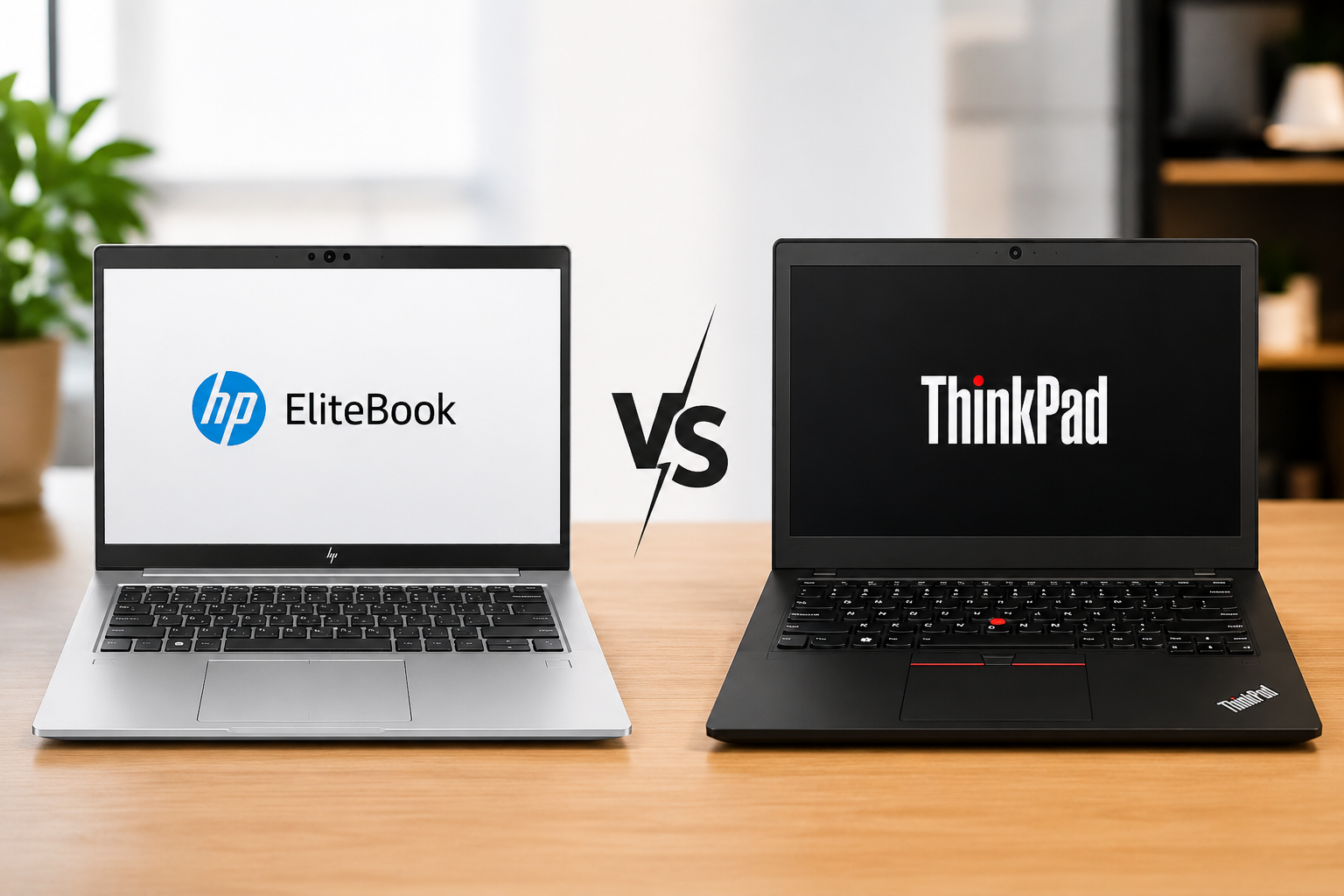
If you’re shopping for a serious business laptop in 2026, two names are hard to ignore: HP EliteBook and Lenovo ThinkPad.
Both are designed for people who need a laptop that can survive long workdays, frequent travel and years of everyday use.
But they take very different approaches.
ThinkPad is the traditional workhorse. It focuses on an excellent keyboard, practical connectivity, durability and productivity.
EliteBook takes a more modern route. HP puts more emphasis on premium design, high-end displays, portability and AI-powered hardware.
So which one should you actually buy?
After comparing the two across design, performance, display, battery life, keyboard, security, connectivity and value, Lenovo ThinkPad comes out ahead overall.
But HP’s latest EliteBook X lineup makes this a much closer fight than it used to be.
HP EliteBook vs Lenovo ThinkPad: Quick Comparison
| Feature | HP EliteBook | Lenovo ThinkPad |
|---|---|---|
| Design | Modern and premium | Classic and functional |
| Build Quality | Excellent | Excellent |
| Keyboard | Excellent | Outstanding |
| Display | Excellent OLED options | Excellent on premium models |
| Performance | Excellent | Excellent |
| AI Features | Excellent | Excellent |
| Battery Life | Configuration-dependent | Configuration-dependent |
| Ports | Very good | Excellent |
| Security | Excellent | Excellent |
| Portability | Excellent | Excellent |
| Business Features | Excellent | Excellent |
| Programming | Very good | Excellent |
| Premium Experience | Excellent | Very good |
| Value | Very good | Excellent |
| Overall Rating | 8.8/10 | 9.1/10 |
One thing is important before comparing them: EliteBook and ThinkPad aren’t individual laptops.
They’re entire product families.
A premium EliteBook can have completely different hardware from a cheaper EliteBook. The same is true for ThinkPad.
For example, HP’s current EliteBook X G2i can be configured with Intel Core Ultra processors, up to 64GB of onboard LPDDR5x memory and a 3K 120Hz OLED display. You can check the full HP EliteBook X G2i specifications for the available configurations.
Lenovo’s ThinkPad T14 Gen 7 also offers modern Intel and AMD processors, up to 64GB LPCAMM2 memory on supported configurations and high-resolution OLED options. The complete ThinkPad T14 Gen 7 specifications are available through Lenovo’s official documentation.
So when comparing these laptops, always look beyond the brand name.
Design and Build Quality
The ThinkPad has one of the most recognizable laptop designs in the industry.
It’s black, understated and instantly familiar.
Lenovo isn’t trying to make it look like a fashion accessory. The design is focused on being a practical work machine.
And honestly, that works.
A ThinkPad feels like a tool built for serious daily use.
The EliteBook takes a more modern approach.
Current premium EliteBooks look cleaner and more refined. They’re designed to feel slim and premium without losing their business identity.
That makes a difference when you’re carrying the laptop into meetings or using it around clients.
The ThinkPad feels more traditional.
The EliteBook feels more contemporary.
Both feel premium enough for professional use, but they appeal to different tastes.
Keyboard and Touchpad
If you type all day, the ThinkPad deserves serious attention.
The keyboard has always been one of Lenovo’s biggest strengths.
The keys feel comfortable, the layout is familiar and long writing sessions don’t become tiring as quickly.
For programmers, writers, developers and office workers, that’s a major advantage.
Then there’s the famous TrackPoint.
You don’t have to use it, but longtime ThinkPad users often love it.
HP’s EliteBook keyboards are also very good.
They’re comfortable, modern and perfectly capable of handling a full workday.
But ThinkPad has that extra level of refinement that becomes noticeable when you’re typing for hours.
This isn’t something you’ll see in a processor benchmark.
You notice it after your third meeting, fifth email and tenth page of writing.
Display
HP has made the EliteBook display story particularly interesting in 2026.
The EliteBook X G2i can be configured with a 3K OLED display running at 120Hz with 100% DCI-P3 coverage. HP also offers bright WUXGA options, including configurations rated at up to 800 nits.
That’s an impressive combination for a business laptop.
The OLED option gives you deeper blacks, richer colors and a much more premium viewing experience.
ThinkPad can compete here too.
The ThinkPad T14 Gen 7 offers several display configurations, including a 2.8K 120Hz OLED panel with 100% DCI-P3 coverage.
The problem is that ThinkPad has a huge number of configurations.
One model can have an excellent display while another configuration with the same screen size can have a much more basic panel.
EliteBook has similar configuration differences.
So don’t buy based on the product family alone.
Check the resolution, brightness, refresh rate, panel type and color coverage before placing your order.
Performance
There’s no useful answer to the question, “Which is faster, EliteBook or ThinkPad?”
Both brands offer different processors across their lineups.
The EliteBook X G2i can use Intel Core Ultra processors, while HP also offers the Snapdragon X2-based EliteBook X G2q for buyers interested in Windows on ARM.
ThinkPad is similarly flexible.
The current T14 Gen 7 lineup includes Intel Core Ultra and AMD Ryzen PRO options.
For everyday work, both are extremely capable.
Microsoft Office, Chrome, Teams, Zoom, Slack, coding and multitasking are easy workloads for either platform.
Things get more interesting with heavier workloads.
If you’re running virtual machines, compiling large projects, editing video or using demanding professional applications, the exact processor and cooling system matter much more than the brand.
Don’t compare the logos. Compare the configuration.
AI Features
AI PCs have become a major part of the laptop market in 2026.
Both HP and Lenovo now offer processors with dedicated NPUs designed to handle AI workloads more efficiently.
HP is pushing particularly hard in this area.
The Intel configuration of the EliteBook X G2i can reach up to 50 TOPS of NPU performance, while the Snapdragon X2 Elite version can reach up to 85 TOPS.
Lenovo isn’t far behind.
Higher-end ThinkPad T14 Gen 7 configurations can also reach 50 TOPS of NPU performance, with AMD options bringing their own Ryzen AI capabilities.
For everyday users, the difference may not be obvious yet.
But as more applications use local AI processing, dedicated NPU performance should become increasingly useful.
HP simply makes AI a more visible part of the EliteBook X experience.
Battery Life
Battery life is probably the category where you should be most careful with general comparisons.
The processor matters.
The display matters.
OLED versus IPS matters.
Brightness matters.
Your workload matters too.
A laptop with a power-efficient WUXGA display can behave very differently from a configuration with a bright 3K OLED panel.
Both EliteBook and ThinkPad offer configurations designed for mobile professionals.
But the exact model matters much more than the family name.
If battery life is important to you, look for real-world testing of the exact configuration you’re considering.
Ports and Connectivity
Thin laptops often come with a problem: you need a dongle for everything.
ThinkPad generally avoids that approach.
The T14 Gen 7 includes a practical selection of USB-C, USB-A and HDMI connectivity, while selected configurations add features such as Ethernet, smart-card support and cellular connectivity.
EliteBook also offers a strong selection.
The EliteBook X G2i includes USB4, USB-A, HDMI 2.1 and a headphone/microphone jack, with optional cellular connectivity on supported configurations.
For normal office work, both are well equipped.
But if your desk includes external monitors, wired networking, USB storage and other accessories, ThinkPad’s practical approach makes a lot of sense.
Security and Business Features
These aren’t consumer laptops with a business label.
Security is a major part of both product families.
HP offers enterprise-focused security technologies across EliteBook models, including privacy features such as HP Sure View on supported configurations.
ThinkPad also offers extensive security and management features aimed at professional and enterprise users.
For an individual buyer, either brand provides a strong security package.
For companies buying hundreds of machines, the decision becomes more complicated.
IT teams should compare management capabilities, authentication options, security hardware, warranty coverage and the exact processor platform.
For most individual professionals, both are excellent choices.
Portability
Modern business laptops have become surprisingly portable.
Both EliteBook and ThinkPad offer models designed for people who move between meetings, offices and airports.
EliteBook’s premium X models are especially appealing if you want a thin and modern machine.
ThinkPad also has incredibly lightweight options, particularly within the X1 family.
The difference is mostly about design philosophy.
EliteBook feels like a premium ultraportable.
ThinkPad feels like a lightweight version of a traditional work machine.
Either can be a great travel laptop.
HP EliteBook Pros and Cons
| Pros | Cons |
|---|---|
| Premium, modern design | Premium configurations can get expensive |
| Excellent OLED display options | Memory is onboard on many models |
| Strong AI hardware | Battery life varies by configuration |
| Lightweight premium designs | Snapdragon isn’t ideal for every workload |
| Excellent business security | Features vary by configuration |
Lenovo ThinkPad Pros and Cons
| Pros | Cons |
|---|---|
| Outstanding keyboard | Conservative design |
| Strong business-focused construction | Display quality varies by configuration |
| Excellent connectivity | Premium models can become expensive |
| Wide range of configurations | Some models prioritize thinness |
| Excellent for programming | Upgradeability varies by model |
HP EliteBook vs ThinkPad for Programming
If you’re a developer, ThinkPad is the easier recommendation.
The keyboard is excellent for long coding sessions, and the practical port selection is useful when you’re working with external monitors, storage and other accessories.
It’s also a strong platform for developers using tools such as VS Code, Docker, Git, virtual machines and local development environments.
EliteBook can absolutely handle programming.
In fact, a high-end EliteBook with a good display and plenty of RAM can be an excellent development machine.
But if programming is your primary workload, ThinkPad’s keyboard and work-focused design give it a natural advantage.
HP EliteBook vs ThinkPad for Business
Both are excellent business laptops.
EliteBook is particularly attractive for executives and professionals who care about a premium appearance.
Its modern design and excellent display options make it feel more polished than the traditional ThinkPad aesthetic.
ThinkPad is more focused on pure productivity.
It’s the kind of laptop that makes sense for someone who spends eight hours a day writing, coding, managing spreadsheets or working with enterprise software.
For corporate deployments, both brands have strong enterprise ecosystems.
The better choice will often come down to your organization’s specific management, warranty and hardware requirements.
HP EliteBook vs ThinkPad for Students
Students have slightly different priorities.
You want something reliable, comfortable to type on and capable of lasting several years.
That’s where ThinkPad makes a lot of sense.
A good ThinkPad can handle coursework, programming, research, presentations and everyday productivity without feeling like it’s struggling.
EliteBook is also worth considering, particularly if you find a good deal on a model with a better display or more powerful configuration.
For most students, though, we’d put more money toward RAM, storage and processor performance rather than premium styling.
HP EliteBook vs ThinkPad for Travel
Frequent travelers should look closely at both.
EliteBook’s premium X models are slim and polished, making them easy to carry between meetings and flights.
ThinkPad’s lightweight models are equally capable, particularly if you prioritize durability and productivity.
The decision comes down to what you value more.
If you want a laptop that feels premium every time you take it out of your bag, EliteBook is appealing.
If you want a lightweight machine that feels like a serious work tool, ThinkPad remains a strong option.
HP EliteBook vs Lenovo ThinkPad: Which One Should You Buy?
Choose HP EliteBook if you want a premium experience
The EliteBook is the better fit if your priorities are display quality, portability, modern design and AI features.
The current EliteBook X lineup shows how far HP has pushed its premium business machines.
You get modern processors, high-end OLED options and strong AI capabilities in a relatively portable package.
It’s a particularly good match for executives, frequent travelers and professionals who spend a lot of time in meetings.
Choose ThinkPad if you want a serious work machine
ThinkPad makes more sense if you care about typing comfort, productivity, connectivity and long-term professional use.
The keyboard is a major reason to choose it.
So are the practical ports and broad range of configurations.
The T14 Gen 7 is a good example of the formula, offering current Intel and AMD platforms, fast storage, modern connectivity and multiple display choices.
For developers, writers, IT professionals and heavy office users, it’s an easy recommendation.
HP EliteBook vs Lenovo ThinkPad: Key Differences
| Category | HP EliteBook | Lenovo ThinkPad |
|---|---|---|
| Design | Modern and premium | Classic and functional |
| Build | Slim and premium | Solid and practical |
| Keyboard | Excellent | Outstanding |
| Display | Excellent OLED choices | Excellent on premium configurations |
| Performance | Excellent | Excellent |
| AI | Excellent | Excellent |
| Battery | Configuration-dependent | Configuration-dependent |
| Connectivity | Very good | Excellent |
| Security | Excellent | Excellent |
| Portability | Excellent | Excellent |
| Programming | Very good | Excellent |
| Executive use | Excellent | Very good |
| Long work sessions | Excellent | Excellent |
| Value | Very good | Excellent |
RicGuides Verdict
Lenovo ThinkPad — 9.1/10
HP EliteBook — 8.8/10
Lenovo ThinkPad is the better overall business laptop for most people in 2026.
It doesn’t win because it has the flashiest design.
It wins because the fundamentals are excellent.
The keyboard is fantastic. Connectivity is practical. The model range is huge. And the entire experience feels designed around people who actually spend most of their day working from a laptop.
But HP has made the EliteBook much harder to ignore.
The latest EliteBook X generation brings premium designs, excellent OLED displays and serious AI hardware to the business-laptop category.
For someone who wants a laptop that looks modern, travels well and has a fantastic screen, the EliteBook could easily be the better choice.
Our pick for most professionals: Lenovo ThinkPad.
Our pick for a premium, display-focused business laptop: HP EliteBook.
The biggest mistake would be buying either one based only on the brand.
Check the processor. Check the display. Check the RAM. Check the battery. Then check the price.
That’s where the real comparison starts.
Frequently Asked Questions
Is HP EliteBook better than Lenovo ThinkPad?
Not overall. ThinkPad gets our overall recommendation because of its keyboard, productivity-focused design, connectivity and business features. EliteBook is the stronger option for buyers who prioritize premium design, display quality and portability.
Which is better for programming, EliteBook or ThinkPad?
ThinkPad is the easier choice for programmers. Its excellent keyboard, practical ports and business-focused design make it particularly comfortable for long coding sessions.
Which has the better display?
EliteBook has some outstanding display options, especially the 3K 120Hz OLED panel available on the EliteBook X G2i. ThinkPad also offers excellent OLED configurations, including a 2.8K 120Hz option on the T14 Gen 7.
Is ThinkPad still worth buying in 2026?
Yes. The 2026 ThinkPad lineup includes current Intel and AMD processors, AI-capable hardware, modern connectivity and high-speed storage options.
Is HP EliteBook good for business?
Absolutely. EliteBook is one of HP’s main professional laptop families and includes enterprise security, privacy and management features on supported configurations.
Which is better for students?
For most students, we’d lean toward ThinkPad. The keyboard, durability-focused design and productivity features make it a strong long-term choice.
Which is better for travel?
Both are excellent. EliteBook is particularly appealing if you want a premium, modern design, while lightweight ThinkPad models are excellent for users who prioritize productivity and durability.
Is EliteBook more premium than ThinkPad?
On the premium models, generally yes. EliteBook’s modern designs and display options give it a more polished feel. ThinkPad intentionally maintains its traditional business aesthetic.
Which should I buy: HP EliteBook or Lenovo ThinkPad?
If you want the best all-round work machine, go with ThinkPad.
If you want a more premium design, better display options and strong AI hardware, go with EliteBook.
For most professionals, ThinkPad is the safer choice.
